Process: Transfer posting is done with MIGO transaction from EWM location to IM location, so system created the Outbound Delivery although there is no sufficient stock.
Issue: ATP check is not working for specific delivery type – DTR although all ATP check related configuration is correct and working fine for other delivery types.
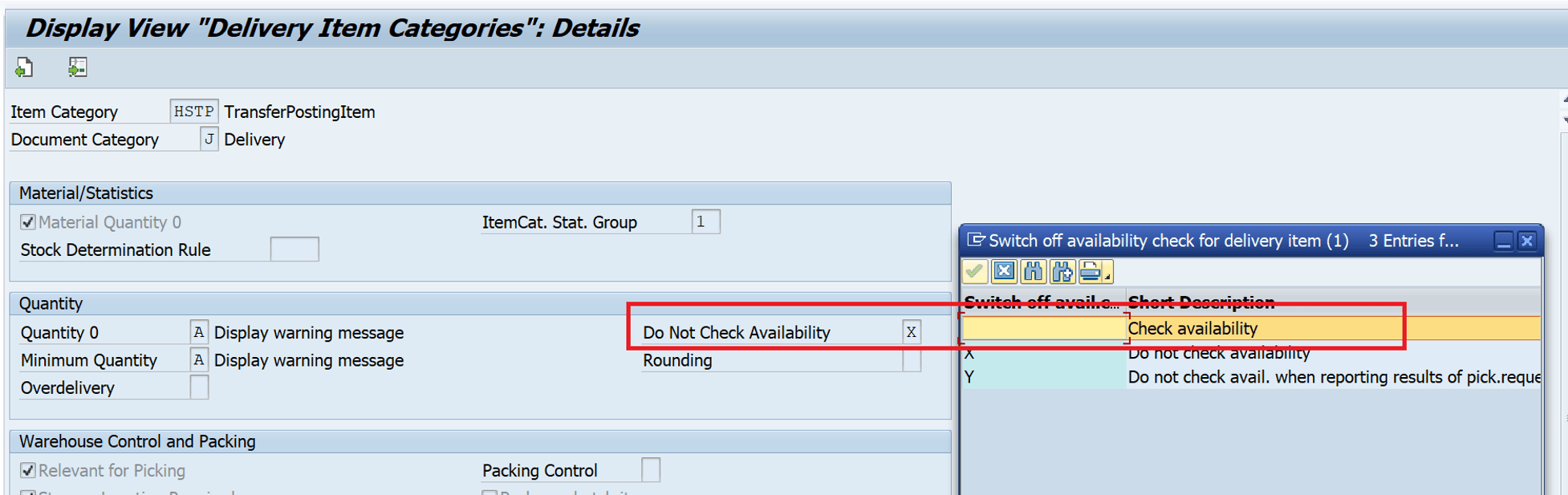
Solution: There is no option to activate or deactivate the ATP check at the delivery type level, but it can be done at the item category level which is related to the delivery type.
You can use the transaction code 0(zero)VLP and remove the flag X to check the availability for DTR delivery type.
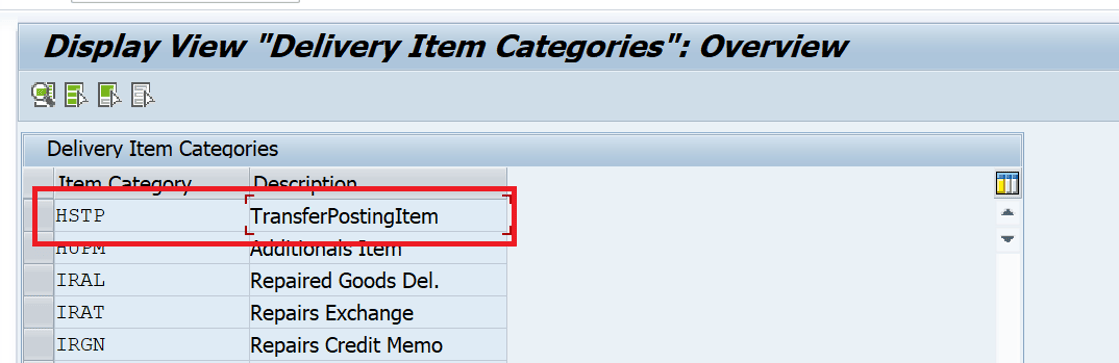
You remove X from the configuration below. Ideally, it’s recommended to create custom Delivery type and Item category without making changes to the standard configuration.
Additional information:
Linkage of Delivery type and item category:
Logistics Execution > Shipping > Deliveries > Define Item Category Determination in Deliveries or transaction code 0184 (Zero – One – Eight – Four)

Linkage of a Movement type and Delivery type in SAP: You can check the detailed blog about the linkage of movement type and delivery type.
How to find the linkage of a Movement Type and Delivery Type in SAP? – GANESH SAP SCM
You can check our blogs and provide your valuable feedback. Happy Learning.
Thanks, and Best Regards,
Ganesh Padala
Discover more from GANESH SAP SCM
Subscribe to get the latest posts sent to your email.
Explained solution is very practical way to resolve the issue. It’s one of the main concern point where ewm is active. Thanks for sharing the knowledge 🙏