Error: You created Stock Transport Order with Freight charges and then created the Outbound Delivery. When you post goods issue with reference to Outbound Delivery, system prompts the below error.
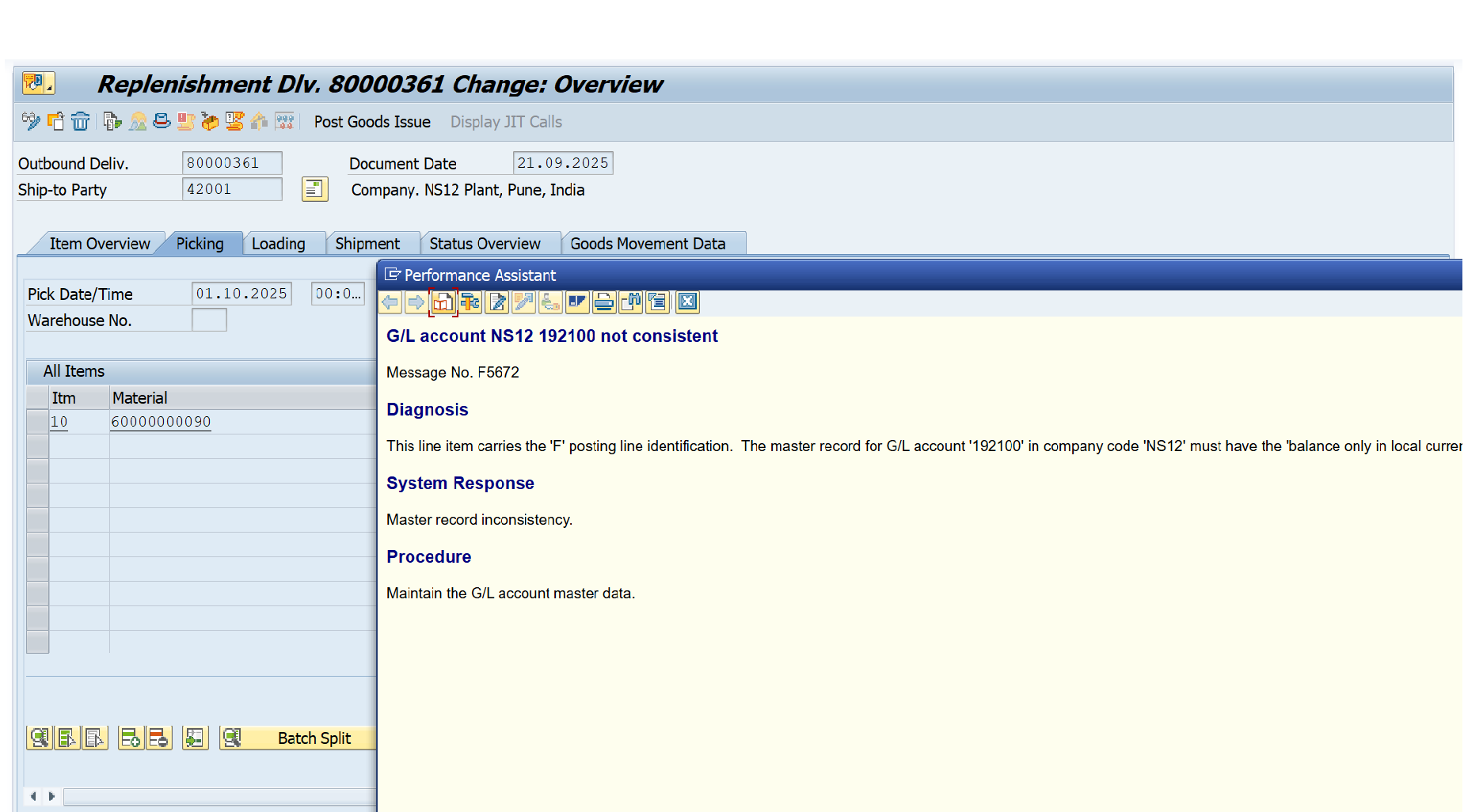
Based on the details of the error message, you can understand the solution approach which should be done in the G/L master.
Go to FS00 transaction code and input the G/L Account and the Company code then click Enter.
Now you go to control data and check the flag as shown below and save so that the error will be resolved.

You can search as Ganesh Padala in any searching platform to find more SAP Videos and Documents. Happy Learning.
Thanks, and Best Regards,
Ganesh Padala
 GANESH SAP SCM