Scenario: A Purchase Order is created with Currency USD where the company code currency is SGD. The exchange rate in the Purchase Order is 1.500 which was taken from OB08 Transaction.

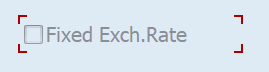
Note: The Fixed exchange rate in the purchase order header under Invoice tab is not checked. Because of this setup, system will take the exchange rate as per the details maintained in OB08 Transaction.
PO Item Quantity = 10 and the Amount is 100 USD
Post Invoice Receipt with exchange rate 1.500.
Invoice Receipt is posted for 10 Units with the amount as 100 USD. Local Amount is 150 SGD as the exchange rate is still 1.500.
Now the exchange rate is changed to 1.600 in OB08 Transaction code as shown below. Then the goods arrived at the warehouse, and the GR is posted by the logistics admin.

Accounting Entries for Invoice Receipt with 1.5000 exchange rate:
| Account Type | Transaction Key | USD Amount | SGD Amount | Debit/Credit |
| Vendor | KBS | 100 | 150 | Credit |
| GR/IR Clearing | WRX | 100 | 150 | Debit |
Post Goods Receipt when the system exchange rate is 1.600.
Goods Receipt is posted for 10 Units with the amount as 100 USD. Local Amount is 160 SGD as the exchange rate is 1.600.
GR Accounting Entries:
| Account Type | Transaction Key | USD Amount | SGD Amount | Debit/Credit |
| Stock | BSX | 100 | 150 | Debit |
| Price Difference | PRD | 0 | 10 | Credit |
| Small differences from Exchange Rate | KDM | 0 | 10 | Debit |
| GR/IR Clearing | WRX | 100 | 150 | Credit |
For many SAP Videos and Documents, you can search as Ganesh Padala in YouTube and Udemy.
Best Regards,
Ganesh Padala
Discover more from GANESH SAP SCM
Subscribe to get the latest posts sent to your email.