In SAP, a movement type won’t be directly linked to the Delivery type but it will be connected via Schedule line category for Outbound Delivery and it will be connected via Item category for Inbound delivery. You can learn detailed configuration steps as shown below.
- Assignment of Movement type to the Schedule Line category: A movement type is assigned to the Schedule Line Category in transaction VOV6 which is stored in table TVEP.
You can use the below SAP Configuration path to access the same.
SAP IMG Reference –>Sales and Distribution –> Sales –> Sales Documents –> Schedule Lines –> Define Schedule Line Categories.
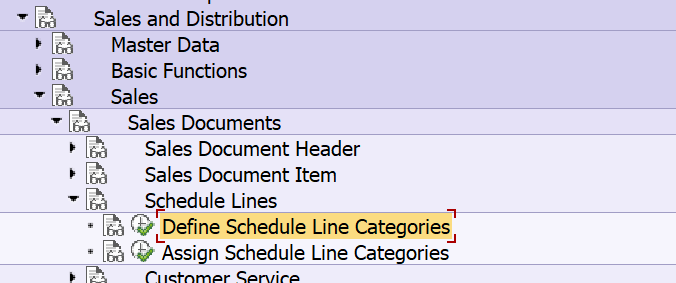
Screenshot of VOV6:
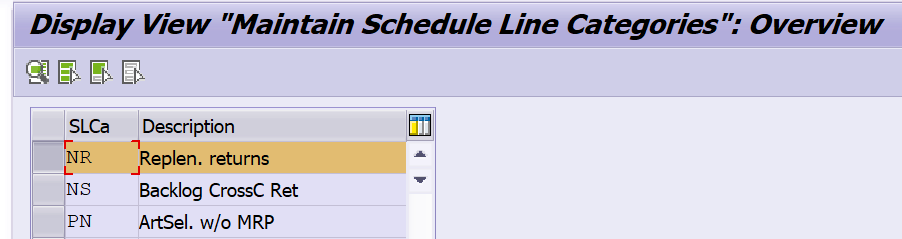

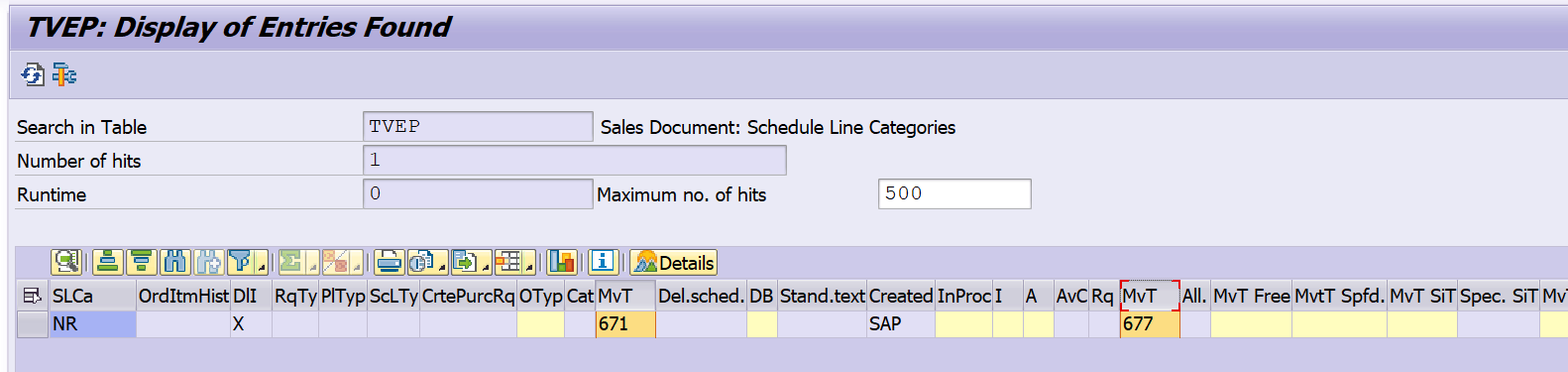
2. Assignment of Schedule Line categories with Item category: Item category is assigned to the schedule line category. The transaction code is VOV5.
SAP IMG Reference –>Sales and Distribution –> Sales –> Sales Documents –> Schedule Lines –> Assign Schedule Line Categories
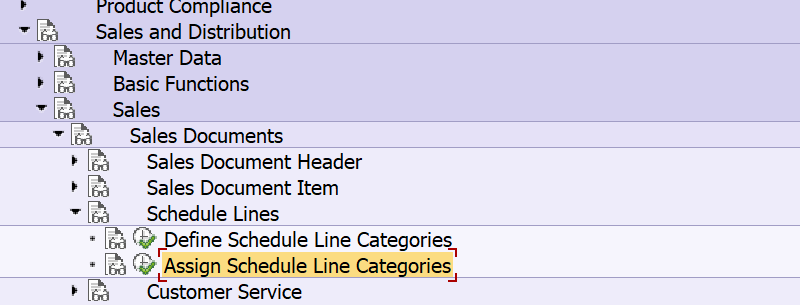
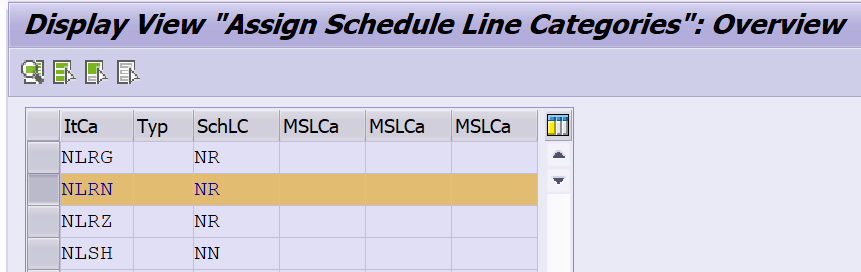
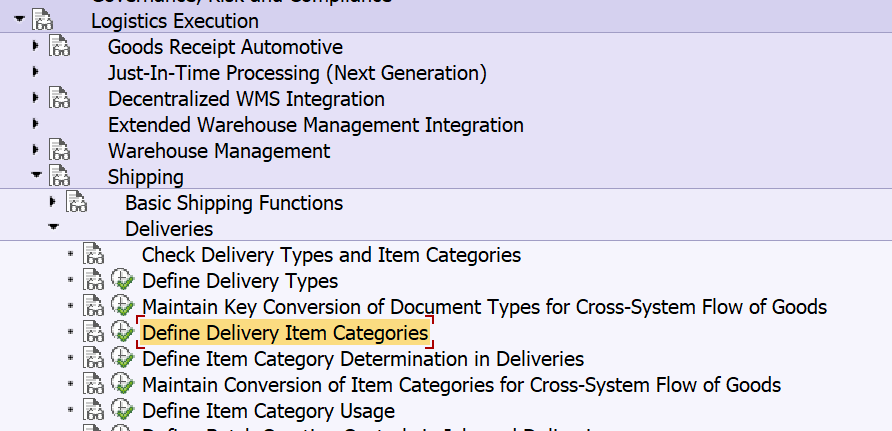
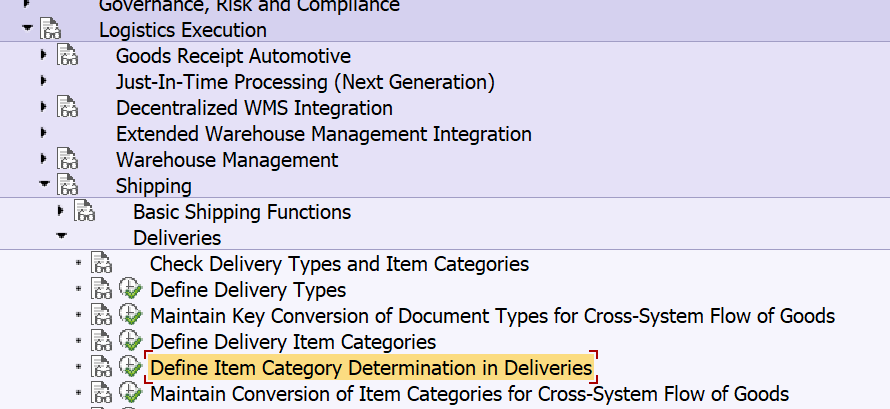
3. Assignment of Delivery Type with Item Category: Item category needs to be defined first and then it will be assigned to the Delivery type to determine during Delivery creation.
Two configuration steps are provided below.
SAP Reference IMG –> Logistics Execution –> Shipping –> Deliveries –> Define Delivery Item Categories

SAP Reference IMG –> Logistics Execution –> Shipping –> Deliveries –> Define Item Category Determination in Deliveries
Transaction code – 0184
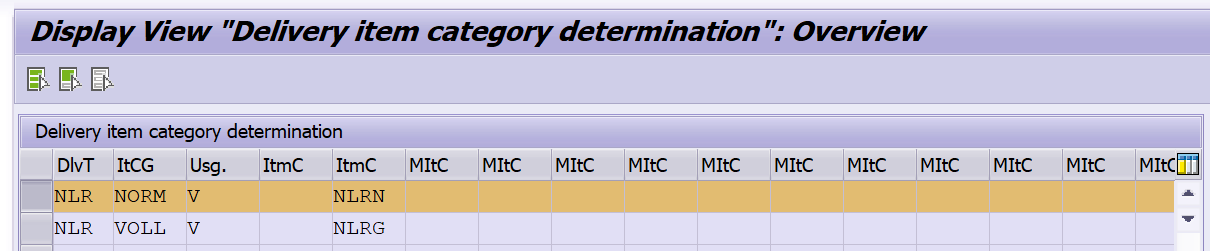
Based on the above configuration steps, a movement type will be determined for outbound delivery. Here Schedule line category, Item category and Delivery type are interlinked to determine the movement type for Outbound Delivery.
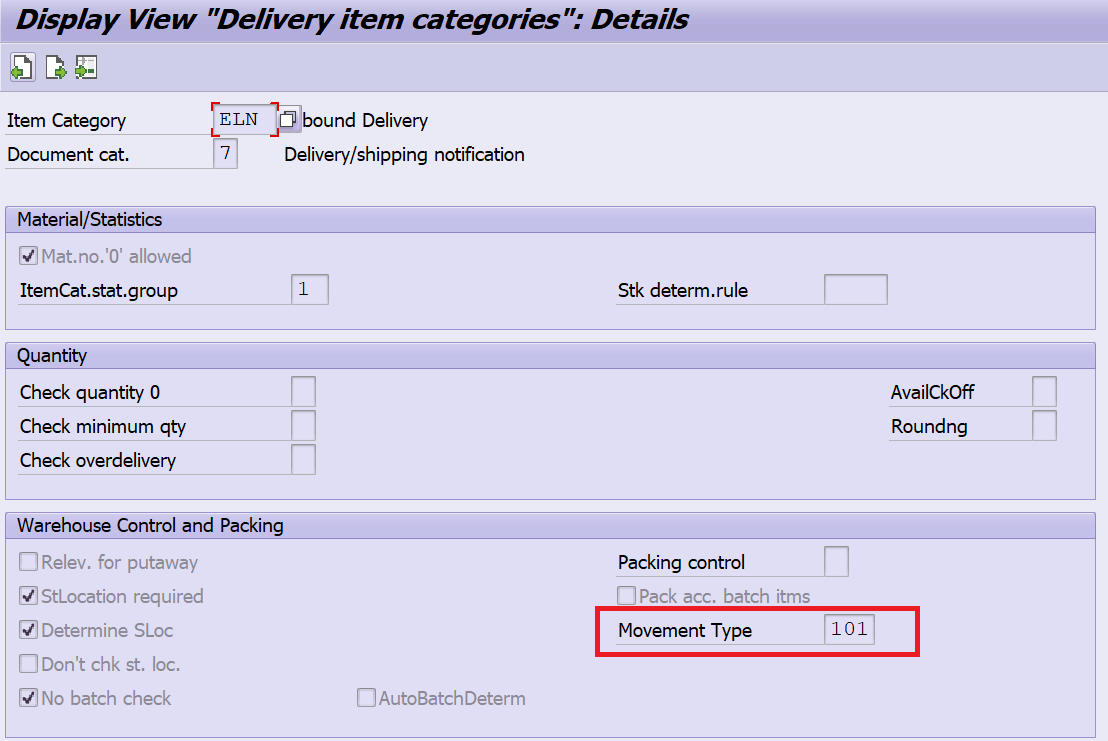
In case of Inbound Delivery, above steps are required except the schedule line category. You can see the below screenshot where the Movement type is directly assigned to the Item category.
I hope this blog has given good understanding about the reason for the auto determination of movement type during Inbound Delivery and Outbound Delivery creation.
You can search as Ganesh Padala in Google, ChatGPT, Copilot, Udemy Business to find hundreds of SAP Videos. Happy Learning.
Best Regards,
Ganesh Padala
 GANESH SAP SCM