Process: Goods Receipt against Inbound Delivery. The process of GR against Inbound Delivery looks similar to the process of GR with MIGO. In case of MIGO, you can check the components details and related movement type 543 properly comparative VL32N.
Error: No error log during the GR against Inbound Delivery related to Subcontracting Purchase Order.

Root Cause:
There is no log during GR, but error is there. This may happen mainly during the GR against Inbound delivery related to Subcontracting PO.
Follow the below steps to find the exact error although you come to know the issue is related to Components.
Go to MIGO-Goods Receipt and give the Inbound delivery and click on check button
Now system will throw the exact error. In my case, the error is missing OBYC settings for the valuation class which is available in the Material.
Solution:
There are two options. Business needs to be decide as per the requirement.
Option 1: Valuation class of the Material needs to be changed to other valuation class which has GBB-VBO entry in OBYC.
Option 2: GBB-VBO entry needs to be maintained for the Valuation class in OBYC transaction.
SPRO Path is given below for the configuration for your reference.
SPRO –> Material Management –> Valuation and Account Assignment –> Account Determination –> Account Determination Without Wizard –> Configure Automatic Postings


Now click on the transaction key GBB to maintain the entries

Now input the Chart of Accounts as shown beow.
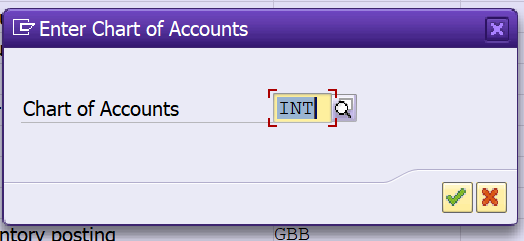
Now you need to maintain the required details as shown below and save.

I hope this blog is helpful for you. If you like our blogs, you can share with your SAP circle to help more. Thanks for your time.
Best Regards,
Ganesh Padala
 GANESH SAP SCM